Product Design · Self-initiated
Portals
A creative workspace for design and motion, with an agent that works with you rather than instead of you. Two years in stealth before it needed an identity, a home and an audience.
01 · The workspace
One canvas for everything you make
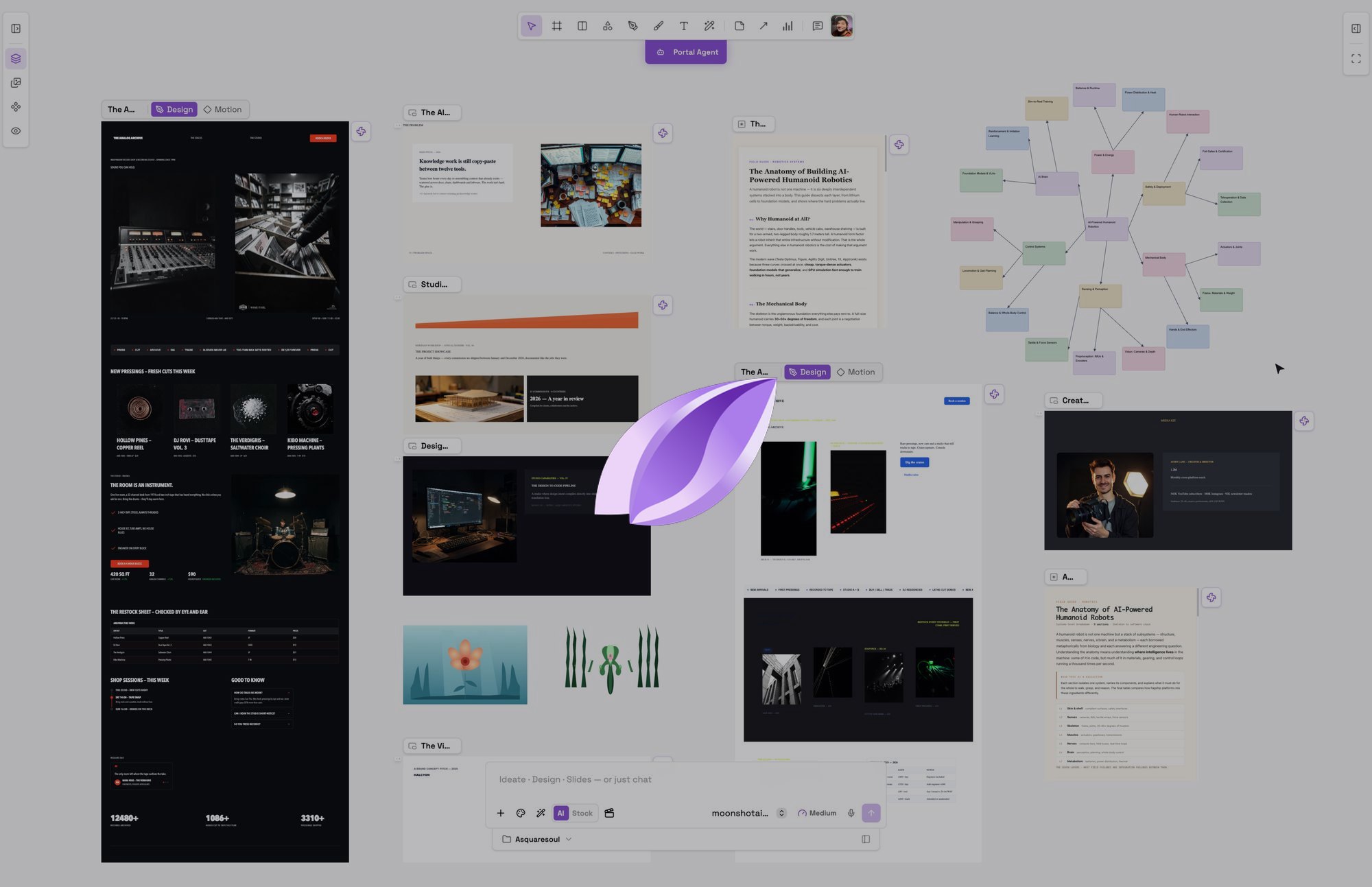
The frames you draw, the agent’s output, the notes, the decks and the mind maps all sit on one infinite board. There is no document you have to leave to think, and nothing you make is trapped in a mode you cannot get back to.
02 · The parts
Four parts, each carrying one decision
The interface is small on purpose. These are the pieces it is made of, and the reasoning behind each one rather than a feature list.
01 · The toolbar
Every tool, one row, no menu to remember
Select, frame, shape, pen, brush, text, and AI vector art sit in a single pill at the top. The tools are the whole surface of the app, so the row stays one row and nothing hides behind a submenu you have to recall.

02 · The frame
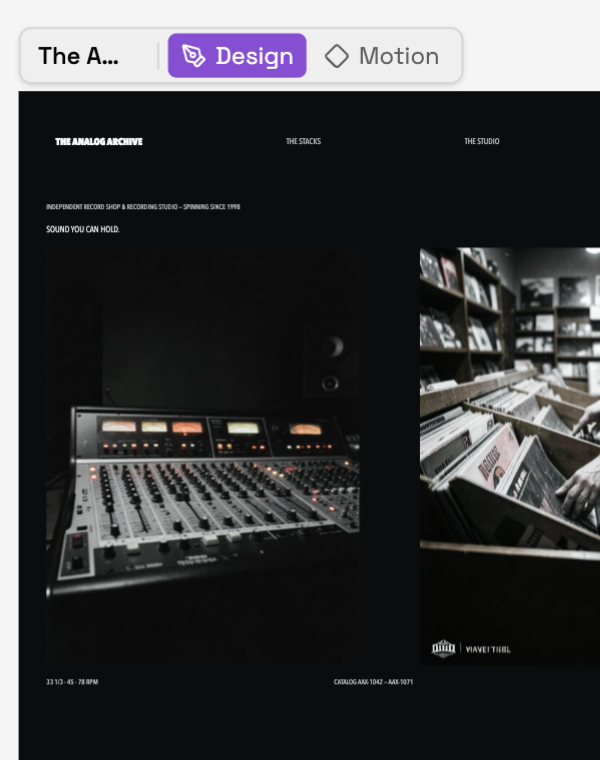
One board, two tabs: Design and Motion
A frame carries both. You draw it and you move it on the same board, so animating is a switch rather than a hand-off to a second application. The tab lives on the frame itself, which is what makes motion feel like part of the design instead of an export.
03 · The timeline
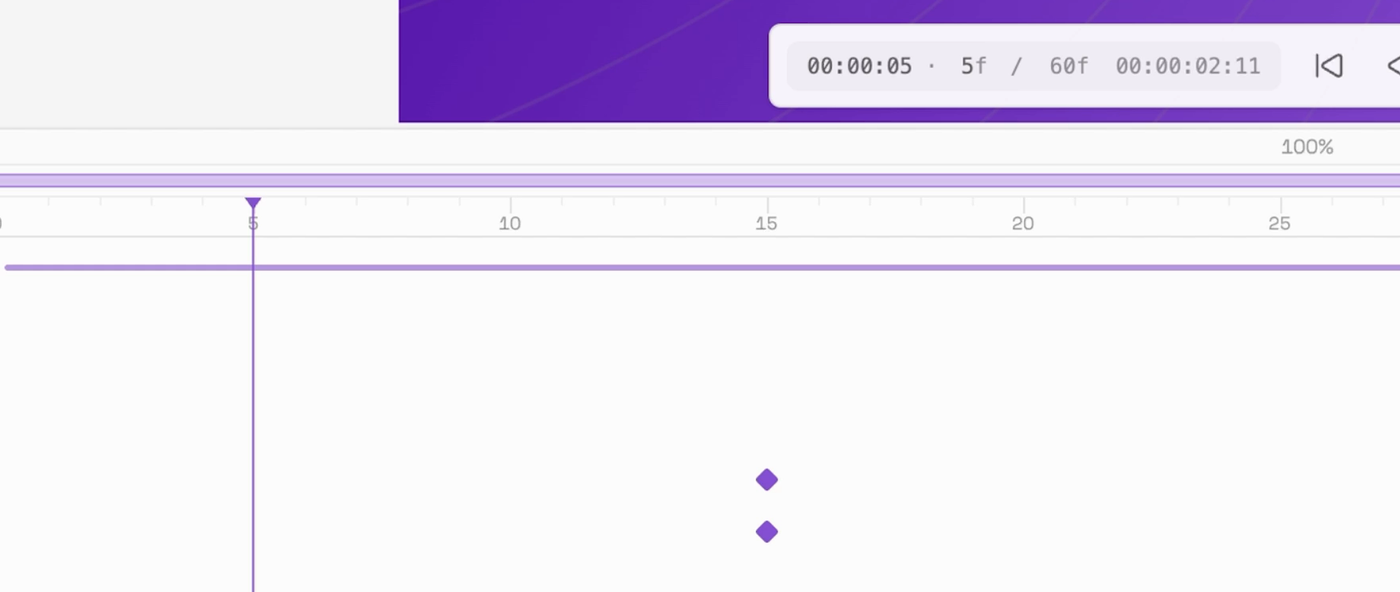
Keyframes next to the layers they belong to
The timeline docks under the canvas and belongs to the frame in Motion. Layers and their keyframes read in one column, so you see the design and its animation at the same time instead of translating between two windows.
04 · The agent
An input bar, not a chat window
The agent lives in the same bar as the surface you are on, so a prompt means what the mode means. Ideate, Design and Slides are the only mode switch, and the agent works on the canvas beside you rather than in a panel of its own.

03 · What it makes
Six kinds of work, one workspace
The same canvas makes a design, a deck, a mind map, a diagram, vector art and an image. Each is a real, editable document on the board rather than an export, so a deck, a page and a film can all share one system and one agent.
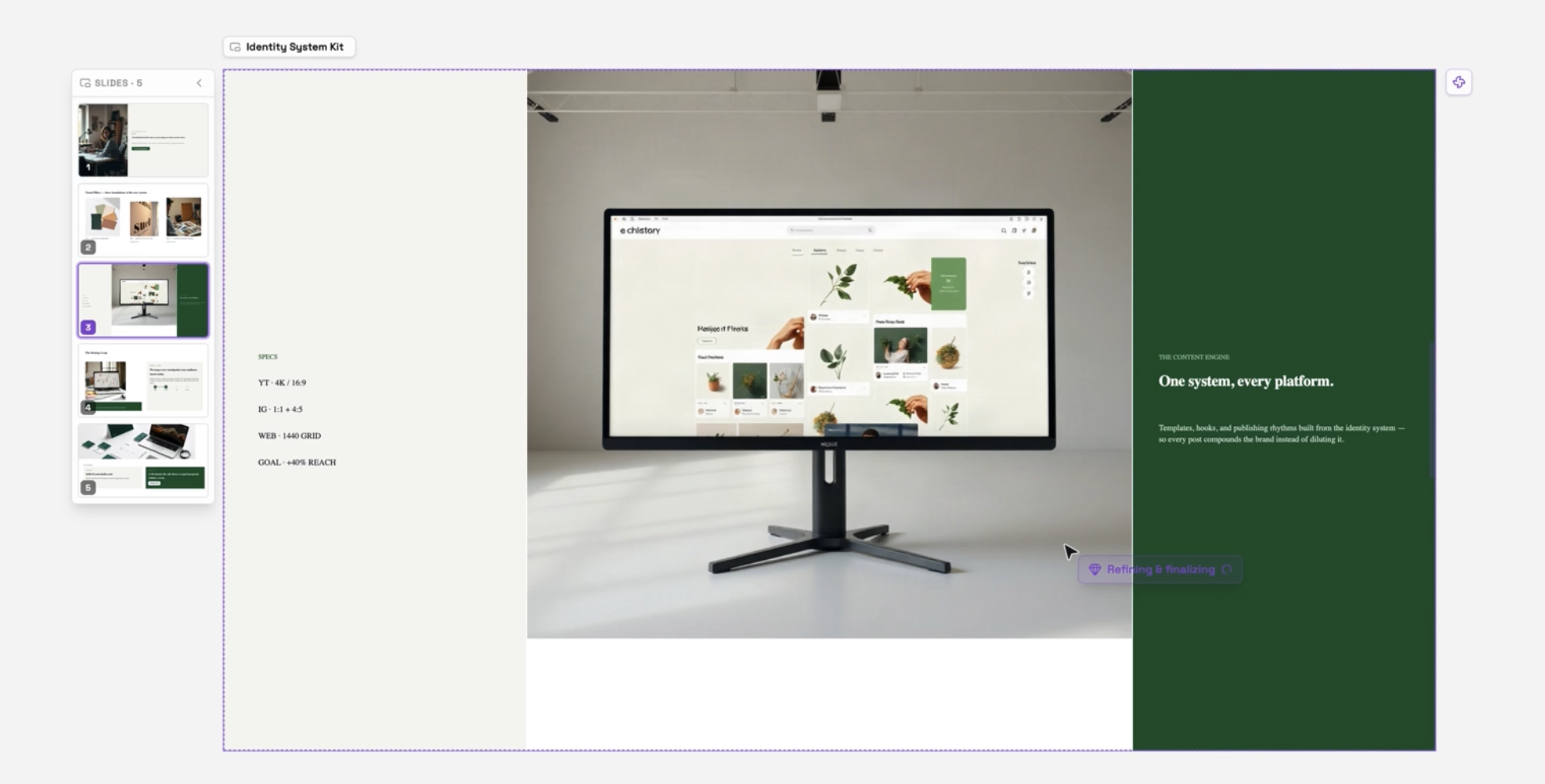
Decks
A deck is built as real frames on the board, so it can share the system a website uses instead of living in a slide tool of its own.
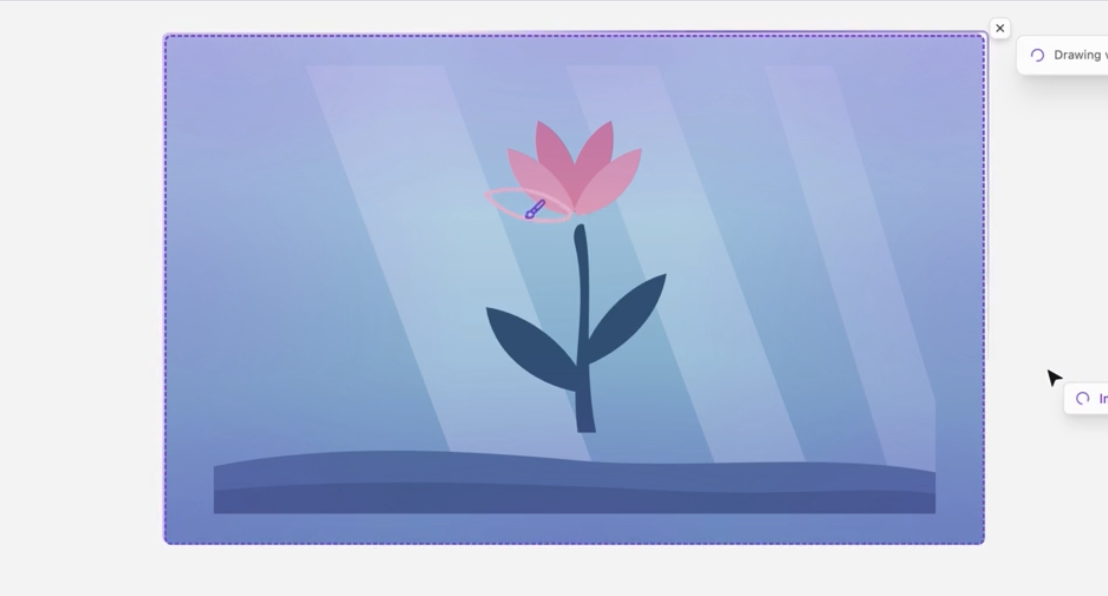
Vector art and SVG
Draw it by hand or describe it and let the agent draw it. Either way it lands as editable vectors, not a flattened picture.
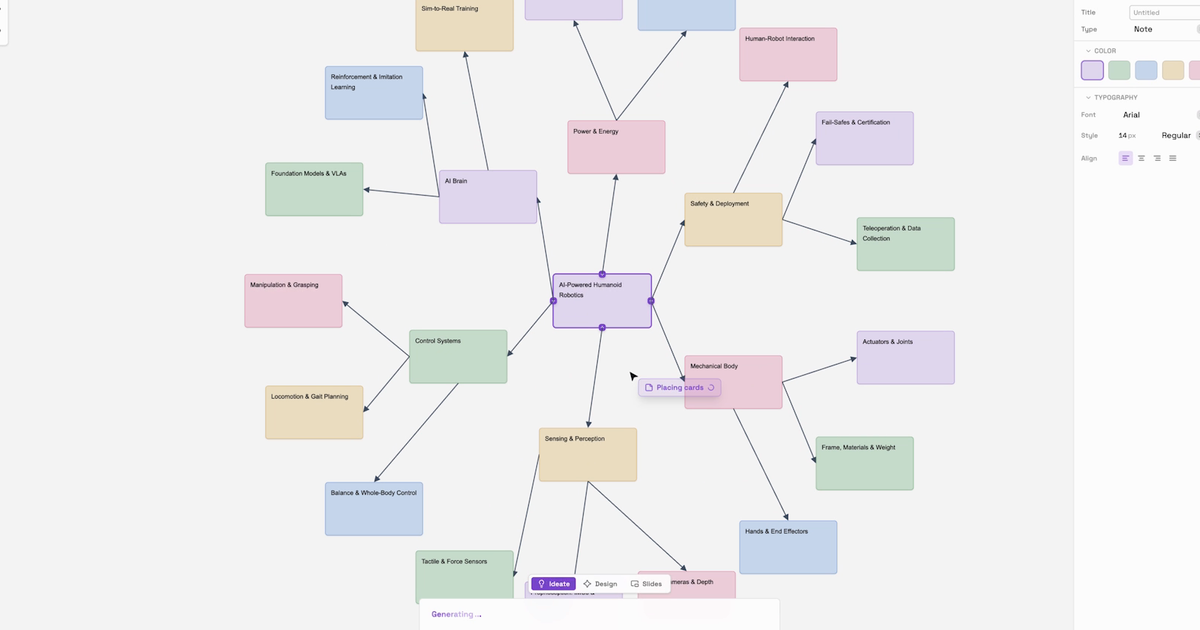
Mind maps
Ideas branch into cards and connectors on the canvas, then become the brief the rest of the work is built from.
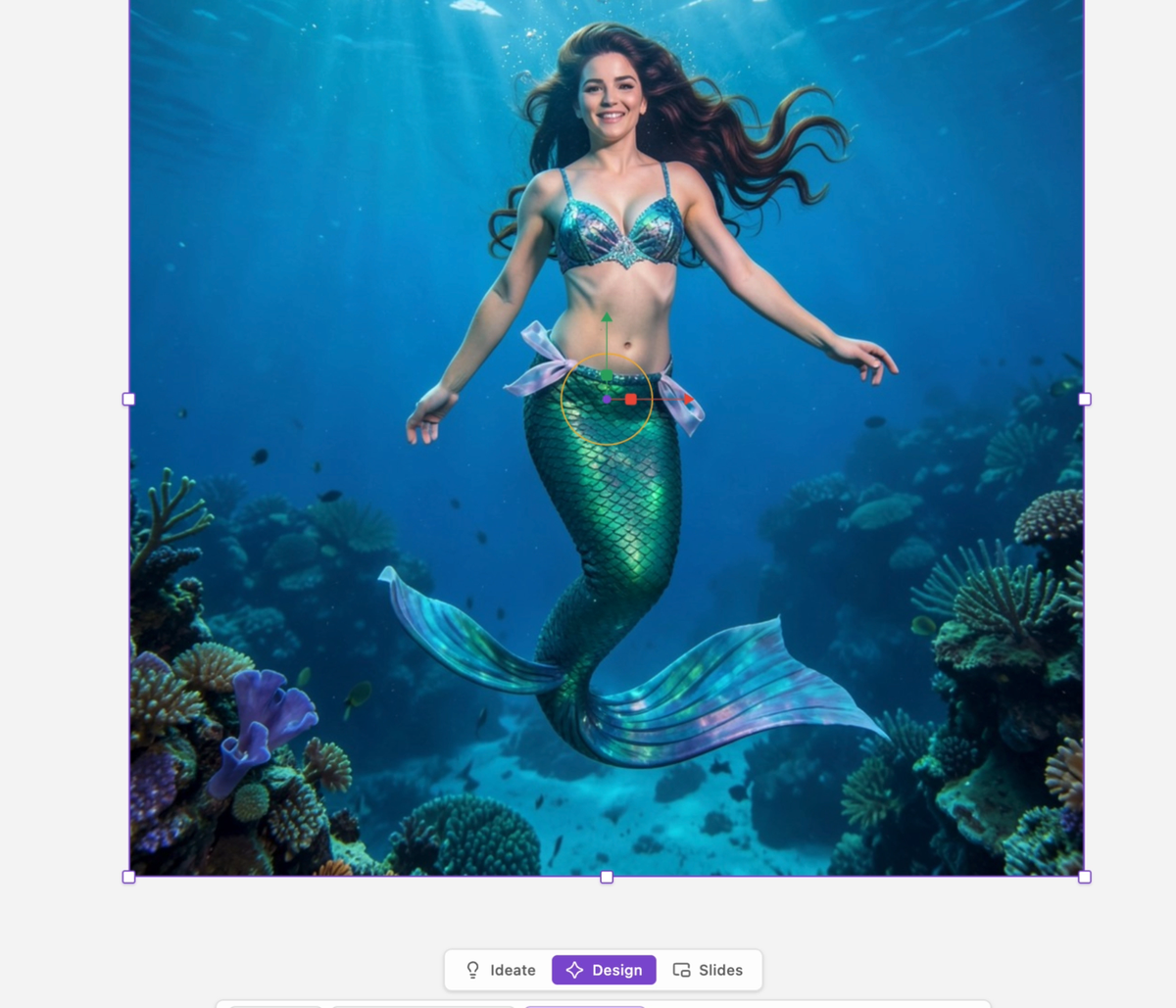
Images
Generate or edit imagery in place, and drop it straight into the frame that needs it.
04 · The agent
Not a canvas with AI. An agent with a canvas.
The agent sits on the same board as the work, and it carries the project with it. It keeps persistent memory of how you work, builds reusable skills, and works out of the project folder you attach, reading and writing real files rather than holding a conversation in isolation. Your own tools come in over MCP, so it uses what the project actually runs on.
That is what gives it creative context. It knows the brand, the frames and the decisions already made, so it works inside the project instead of guessing at it. The whole arc stays on the board: an idea becomes a note, the note becomes a brief, and the brief becomes the deck, the page or the film you publish.
The point is not a faster canvas. It is that the agent works with you rather than instead of you: you keep the taste and the decisions, and it carries the repetition. That is the change this product exists to make, and it is why the interface stays small enough that the work is still yours.
Persistent memory
It keeps notes on how you work and carries them between sessions, so context accumulates instead of resetting every time.
Skills and tools
Reusable skills, and your own tools reached over MCP, so the agent uses what your project actually runs on.
The project folder
It works out of the folder you attach, reading and writing real files, so it carries the project rather than a conversation.
Personas
Shape the agent itself. The tone, the tools and the way it works are yours to set, not fixed by the product.
05 · The design system
A brand, systematized, so nothing drifts off it
Every frame builds inside a kit. The point is not that a tool can pick colours, it is that the whole workspace agrees on them, so a deck, a site and a film made months apart still look like one product.
Extract a brand
From a live URL, uploaded visuals, or a brand folder. It reads the real signal, the declared colours and copy or the visuals themselves, and proposes a complete kit.
Make it yours
Palette, type, radius and spacing are editable, and every frame using the kit re-themes live. The edits are the system, wherever the kit goes.
Built on DESIGN.md
Every kit is DESIGN.md-ready, the open spec the agentic community shares. Your system is a file you can take anywhere, not a setting trapped in one app.
06 · The stages
Three stages, in full
This page shows the product. Each stage below goes deeper into one part of it.