If you're a designer in any capacity, you need to learn Rive. The role of the designer is expanding. It always has been. With AI, it's now inevitable.
You can't just be good at one thing anymore. What sets you apart isn't mastering Figma or After Effects. It's learning the tools that solve today's problems. Enter Rive.
What is Rive?
Rive is a design and animation editor built for interactive graphics. It combines what you know from Figma, Illustrator and After Effects with state machines, so your animations can respond to clicks, hovers, data and user input. The result ships to websites, apps and games through Rive's runtimes, so what you design is what runs in the product.
Why Rive is in demand because of AI
AI-powered apps are shipping at breakneck speed, and every team wants an edge on their site or product. Something that responds. Something that feels alive when touched. That edge is interactivity, and right now the demand for Rive specialists is rising fast.
I can't stress enough how powerful this skill is, and how many doors it has opened for me. For a real example of what it looks like in practice, read how I rebuilt NASA's Lunar Lander HMI as interactive motion in Rive.
Rive tutorial for beginners (free, 2 parts)
AI is changing everything for designers, but the core truth stays the same: learn the tools that solve today's problems. That's why I made a full beginner's tutorial to Rive and put it on YouTube.
It comes in two parts. By the end, you'll have built your first interactive animation in Rive, ready to go straight into your portfolio.

Why interactive animation is the frontier for designers
While everyone races to generate static output with AI, the designers who learn to make things move and respond will stand out.
AI will keep getting better at generating ideas and automating the repetitive work. That's a fact. But complex, multi-state-machine interactive motion stays human-led, because it's about connection: anticipating how a person will feel and respond, and crafting moments that surprise and delight. Those are deeply human skills, and the details only experts can build are the sweet spot.
Take the Rive course: Portal to Rive Masterclass
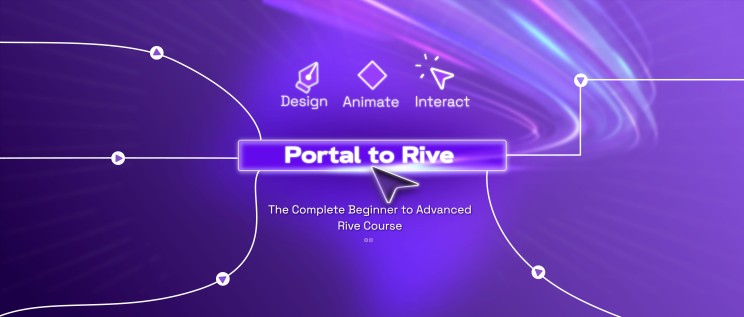
If you want to go deeper, I teach the whole approach in the Portal to Rive Masterclass. It's the path from your first animation to a portfolio that gets you hired. The waitlist is open, and the first 20 to register get early-bird pricing.
Win 50% off the Rive course: the #riveportalchallenge
- Watch the full YouTube beginner's tutorial playlist, Rive Interactive Animation Basics.
- Recreate the project from the tutorial in Rive.
- Make it your own. Change the concept: swap the image, switch the product, rework the colors and typography, add or remove details. I want original remixes.
- Post your submission on Twitter or Instagram with #riveportalchallenge and tag @asquareportal.
If you win, the 50% off is yours.
Join the free Discord community, where I answer challenge questions directly. Show me what you build. 🚀
Frequently asked questions
Is Rive free to learn? You can start learning without paying. My two-part beginner tutorial on YouTube is free, and the Discord community is free.
Do I need to know animation before learning Rive? No. If you've used Figma, Illustrator or After Effects, most of the interface will feel familiar. The new part is state machines, and the tutorial walks you through them.
What is a state machine in Rive? It's the logic layer that decides which animation plays based on inputs like hover, click or data. It's what makes a graphic interactive instead of a looping video.
Will AI replace interactive designers? AI is good at generating static output and automating repetitive work. Complex, multi-state interactive motion depends on judgment about how a person will feel and respond, which is why it stays human-led.
Creative inspiration and resources
✨ Inspiration. Figma's Config 2026 recap has a line worth keeping: AI has lowered the floor but has not raised the ceiling. Treat your next iteration as a ceiling-raiser (a bigger idea, cleaner composition, clearer hierarchy), not a faster duplicate.
💡 Resource: Voice Studio (formerly OmniVoice). I've been deep in AI video shorts, and the biggest lesson was about words, not prompts. Avatar generation is easy now, but they all break on your client's name, a technical term, anything unique. What fixed it was cloning the voice with Voice Studio (open source, runs locally) so it says the word right, then cutting two bad takes together in the edit. The fix is editing, not prompting.